Français
 Español
 Italiano
 Deutsch
 Português
Create your pixel art coloring page
Start from one of our templates or your own photo: the maker turns it into a pixel art grid. Color it online, or download a printable sheet with the color model and the palette. For kids and grown-ups alike.
1Pick a template or upload a picture
or drop a file here (JPG, PNG, WebP). Your picture stays on your device.
3Set the difficulty
2Choose the coloring type
Options
Download the sheet
Pencil
Zoom with the scroll wheel, a pinch or the buttons. To move around, press and hold then drag, or use the Move tool.
Download the sheet
Well done!
Your pixel art is complete.
Create your free account
A Just Color account is required to download or save your pixel art. Your work in progress is kept.
Sign in or create an accountHow to create your pixel art coloring page
- Pick a ready-to-color template or upload a photo, a drawing or a logo. The picture stays on your device.
- Choose free coloring (black outlines, your own colors) or color by number (each square shows the number of its color). For a photo, set the grid size.
- Color on screen with the pencil or the paint bucket, or download the sheet as a PDF or PNG, with the color model and the palette to use.
From picture to coloring page: examples
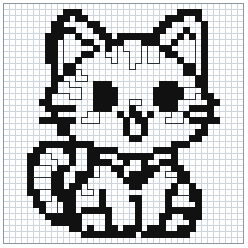
Each template is cut into squares: the original drawing on the left, the grid to color on the right.


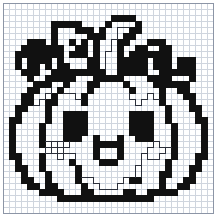

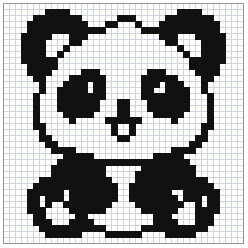
The printable sheet
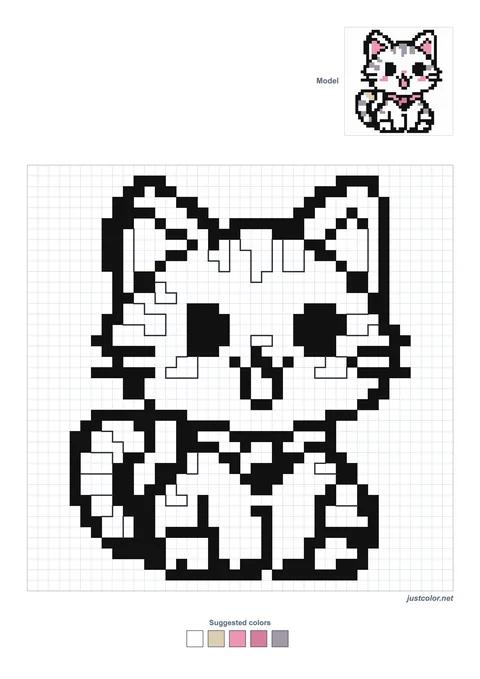
The sheet fits on one A4 page: the grid to color, a small color model and the suggested colors at the bottom. In the PDF, the model also gets a second page.
Pixel art maker or Pixel Art gallery?
The Pixel Art gallery gathers coloring pages that are ready to print. The maker is for creating your own, from a template or a photo, at the size and in the coloring style you choose.
Free coloring or color by number
With free coloring you get black outlines on a grid, to fill with any colors you like. With color by number, each square carries a number matching a color in the palette: the picture is revealed as you color. Both versions can be colored on screen or printed on an A4 page.
Frequently asked questions
Is the tool free?
Yes. Creating and coloring on screen are open to everyone, no account needed. Without an account you can download one sheet per week; a free Just Color account lets you download as many as you like and save your pixel art.
What age is it for?
For all ages. A small grid with few colors suits children from age 5; a large color-by-number grid keeps grown-ups busy much longer.
Are my photos sent to a server?
No. The conversion to pixel art happens in your browser. Only the resulting grid is stored if you choose to save it to your account.
Which grid size should I choose?
Allow about 16 squares across for a child aged 5 to 7, 24 to 36 squares for a finer coloring page, and up to 100 squares for a highly detailed pixel art.